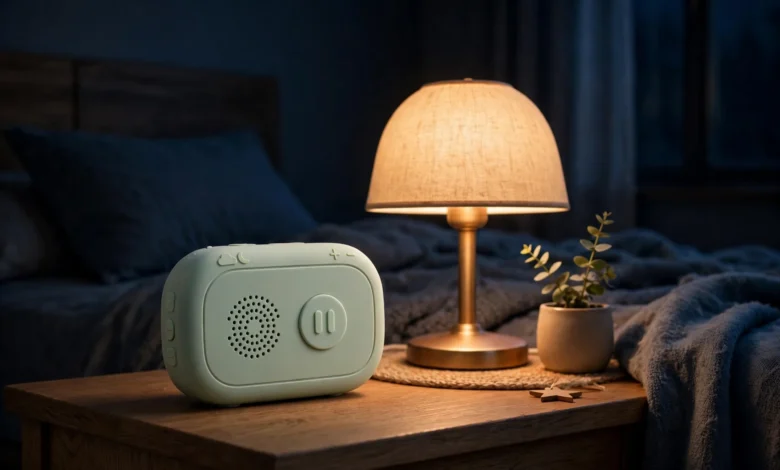
Yoto is a screen-free audio player for children aged three to twelve and beyond, built around a beautifully simple idea: instead of a touchscreen, a child uses physical cards, and instead of adverts, feeds, and notifications, they get stories, music, and calm. A child picks a card, slots it into the player, and the audio plays, which means a three-year-old can operate it independently, a ten-year-old can build a personal library, and a parent can relax knowing there is no screen to manage, no camera, no microphone, and no advertising interrupting a bedtime story. This guide explains how the whole system works, from cards and setup to battery life, offline listening, and running costs, so that by the end you will know not only what to buy, but why each part of it matters for your family.


Understanding the system before buying is worth the effort, because a screen-free player is a different kind of purchase from a tablet or a smart speaker, and the questions that matter are different too. Parents do not need to worry about screen-time limits or inappropriate videos, but they do need to understand how cards are bought and stored, how content gets onto the device, what happens when the Wi-Fi is off, and which model suits a bedroom, a car, or a school bag. Those practical details determine whether the player becomes a daily companion or a forgotten gadget, and this explainer works through them one by one, in the order a new owner will actually encounter them, from the first unboxing to the first long journey.
What It Is, and How Cards Work
At its heart, the system is an audio player that reads physical cards, and that physicality is the key to everything that makes it appealing for children. Each card is a small, sturdy object, roughly the size of a credit card, that represents a single story, album, podcast, activity, or sleep sounds collection, and when a child inserts it into the top of the player, the corresponding audio begins to play. There is no menu to navigate, no search box to type into, and no screen to swipe, which means a young child can choose, start, pause, and change what they are listening to entirely on their own, building confidence and independence in a way that a touchscreen device rarely does. The cards themselves are collectable and shareable, so children can swap them with siblings, display them on a shelf, and build a visible library that reflects their tastes.
The card system also solves a problem that frustrates many parents of tablet users, which is the feeling that a child is lost inside an endless feed of content they did not choose and cannot easily leave. With cards, the choice is finite, physical, and deliberate: a child picks one card, listens to it, and then picks another, which encourages focused listening rather than constant switching. Yoto cards cover an enormous range, from classic stories and picture-book adaptations to music, educational shows, and calming bedtime audio, and families can also use blank recordable cards to capture their own voices, stories, and songs. That blend of shop-bought content and personal recordings is what turns the player from a gadget into a keepsake, because the most-played card in many homes is not a bestseller at all, but a grandparent reading a bedtime story.
Setup: From the Box to the First Story
Getting started is deliberately straightforward, but there are a few steps worth understanding before the box is opened, because they explain how content reaches the player and why the first day feels slightly different from every day after it. The player needs Wi-Fi and the companion app for its initial setup, during which a parent creates an account, connects the device, and chooses the settings that will govern how a child uses it. That first connection is also when the player downloads the audio for any cards that are inserted, which is why a stable home Wi-Fi connection matters on day one, even though it will matter much less later. Once setup is complete, the player is ready for a child to use independently, and the app moves into the background, becoming a parental tool rather than something a child needs to touch.
The setup process is also the moment to think about where the player will live, because its home determines how it will be used, and a player that lives on a bedside table will develop different habits from one that lives in a car or a school bag. A bedroom player benefits from a charger that stays in one place and a small card case nearby, while a travel player benefits from a protective case and a routine of downloading favourite audio the night before a journey. Taking ten minutes to set up routines, volume limits, and wake-up times during the first session will save a great deal of negotiation later, because children accept rules that are built into a device from the start far more readily than rules imposed after weeks of unrestricted use. Setup, in other words, is not just a technical step, but the moment when a family’s listening habits are formed.
Setup and App Controls: The Parent’s Toolkit
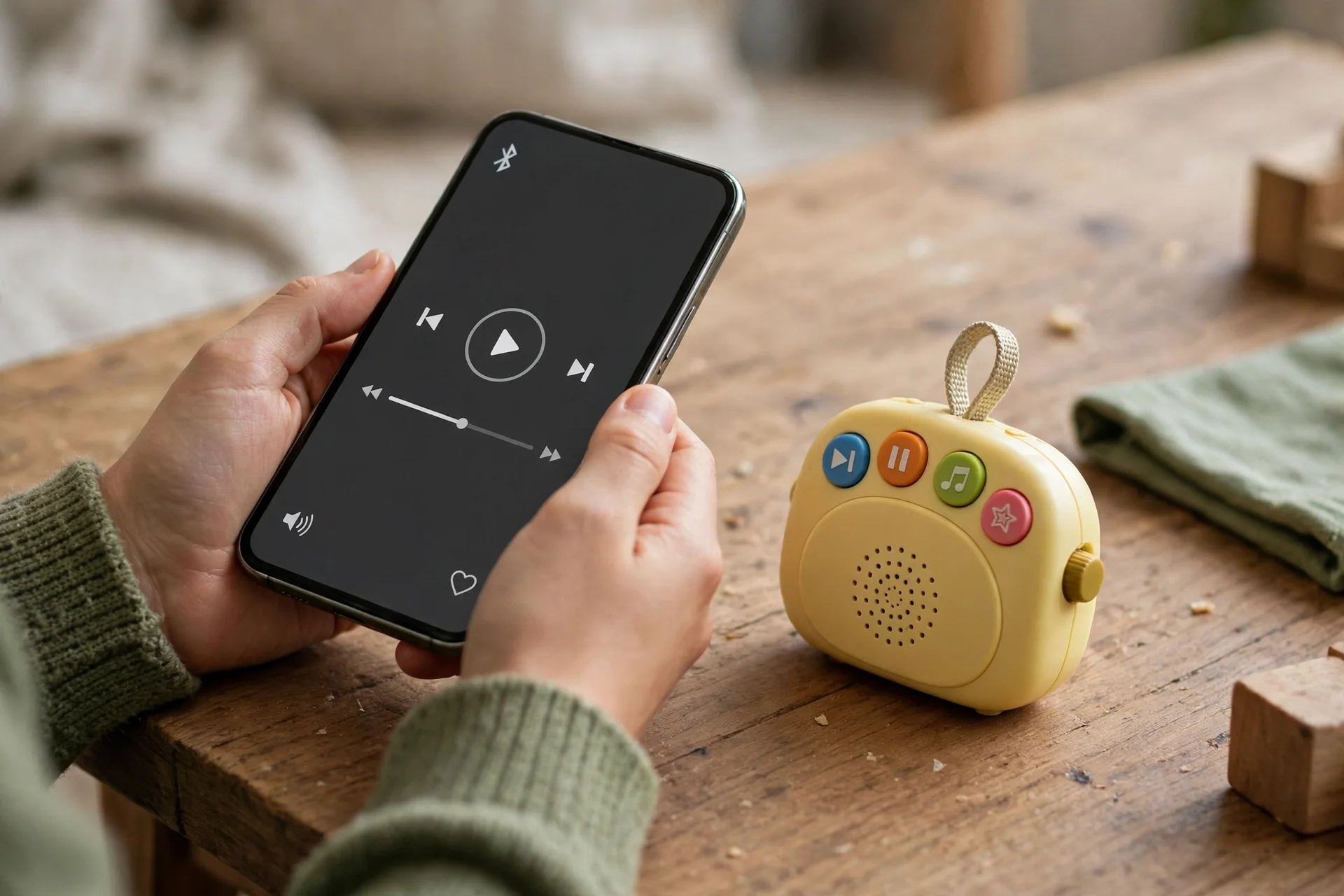
The companion app is where parents shape the experience, and understanding it is essential, because it is the difference between a player that a child uses safely and one that simply plays whatever is loudest. The app lets parents set a maximum volume to protect young ears, which is arguably its single most important feature, since children will happily turn any speaker up to full volume if given the chance, and hearing protection is not something to leave to chance. Parents can also create daily routines, deciding when the player can be used, when it should wind down for bed, and when it should stay silent, which turns the device into a gentle enforcer of family rhythms rather than a source of late-night arguments. Alarms and an OK-to-wake clock complete the toolkit, showing a child with a simple visual signal whether it is time to get up or time to stay in bed a little longer.
What makes these controls work in practice is that they are simple enough for a busy parent to actually use, with clear switches and schedules rather than layers of confusing menus, and that simplicity matters more than any single feature. A control system that parents abandon after the first week is worse than useless, because it creates a false sense of security, while a system that takes two minutes to adjust will be adjusted as a child grows, as routines change, and as new cards arrive. The app also lets parents see what a child has been listening to, which can spark conversations about favourite stories and new interests, turning a safety tool into a window onto a child’s imagination. Used well, the controls do not restrict a child’s enjoyment, but give it a shape that fits family life.
Free Audio, Battery and Offline Listening Explained
One of the most misunderstood parts of the system is how much of it costs nothing, because the free daily audio show and the free radio service are substantial offerings rather than brief samples, and they change every day. The free daily show gives children a short, age-appropriate mix of stories, facts, jokes, and activities, which provides a reason to press play each morning and a shared talking point for the family, while the free radio service offers music and programmes that can play in the background during drawing, building, or quiet play. Those free services mean the player is enjoyable from the first day, even before a family has bought a single card, and they mean it stays useful during lean months when the card budget is tight. There is no subscription required for this core experience, which keeps the total cost of ownership refreshingly simple.
Battery life and offline listening are closely linked, and together they explain why the player works so well away from home. The newest generation of the smaller model offers up to sixteen hours of listening on a single charge, with sixty-four gigabytes of storage holding more than a thousand hours of audio, while older editions offer up to fourteen hours and thirty-two gigabytes, which is still generous for most families. Once audio has been downloaded over Wi-Fi, it lives on the device and plays anywhere, on a plane, in a car, or at a relative’s house with no internet at all, which is a freedom that streaming-only devices cannot offer. The practical lesson is to download before travelling, charge via the standard USB-C cable the night before, and treat the player like a book bag: pack it the evening before, and it will be ready whenever it is needed.
Which Model Suits Which Child and Which Use
Choosing between the models is less about specifications than about matching the device to a child’s age, a family’s routines, and the places where listening will actually happen, because the right model for a bedroom is not necessarily the right model for a car. The full-size player suits home use best, with a larger speaker that fills a room, a clock display, and a nightlight that make it a natural bedside companion, and it is the better choice for shared listening, where a story is enjoyed by siblings together or by a whole family in a living room. Its size and weight make it a stay-at-home device, which is a strength rather than a limitation, because a player that lives in one place develops reliable habits around bedtime, mornings, and quiet time. For a first player bought mainly for home, this is the sensible default, and the current range can be browsed at the official UK store.
The smaller model suits travel, independence, and older children, because it fits in a pocket, survives a school bag, and carries a huge offline library on a single charge. The Yoto Mini in its fourth generation adds water and dust resistance rated at IP67, faster Wi-Fi 6, Bluetooth, and a Green Button that saves up to forty favourite cards, split into twenty for daytime and twenty for night-time, which makes it a remarkably capable companion for journeys and holidays. The Yoto Player in its fourth generation, at around £119.99 against around £89.99 for the smaller model, is the premium home choice, while older editions of the smaller model at around £64.99 remain a sensible budget route, especially for a first player for a younger child. Prices move with retailer offers, so always check the live price, but the decision itself should be driven by use: home or travel, shared or personal, first player or second device.
Card Costs, Running Costs and Mistakes to Avoid
Cards are the main ongoing cost, and understanding them prevents the most common budgeting mistake, which is spending heavily on the player and then having nothing left for the library that makes it useful. Individual cards vary in price, bundles usually offer better value than single cards, and a sensible starting library of a few favourite stories, one music card, and one sleep card will cost far less than a large box set bought on impulse. Families should also budget for a card case, because cards are small, easily lost, and much harder to enjoy when they are scattered under car seats, and for headphones if a child will listen in shared spaces. Beyond cards and accessories, there are no subscription fees for the core experience, which means the total cost over several years is predictable, and a player bought today will still be playing the same cards, free of charge, long after a subscription gadget would have stopped working.
Several mistakes are worth avoiding, and most of them come from assumptions carried over from tablets and phones. The first is forgetting that new audio needs Wi-Fi for its first download, which means a card bought at an airport will not play on the plane unless it was downloaded at home beforehand. The second is underestimating how easily small cards get lost, which is solved by a case and a rule that cards live in one place. The third is buying the wrong generation without checking, because while cards work across generations, accessories and some features differ, and a case bought for one model may not fit another. The fourth is expecting the player to replace every other form of entertainment, when its real strength is focused, calm listening, and the families who love it most are those who treat it as one healthy option among many, not as a cure for boredom.
Alternatives Worth Knowing About
No explainer would be complete without acknowledging that other screen-free audio options exist, because parents shopping for a first player deserve to know the shape of the market, even if this guide does not rank competitors. Generic rivals in the screen-free space include simple story speakers, recordable story boxes, and traditional CD players or radios, each of which offers some of the same calm, screen-free listening, but none of which combines physical cards, a parental app, free daily audio, and a large card library in quite the same way. A basic story speaker may be cheaper, but it usually lacks proper parental controls and a growing content library, while a traditional radio or CD player offers no controls at all and depends on physical media that is harder to replace. The honest comparison is therefore not about which device is cheapest, but about which system a family will actually use for years, and that judgement depends on how much a family values the card library, the app controls, and the free daily content together.
For most families, the deciding factor is not a single feature but the whole ecosystem, because a player is only as good as the stories a child wants to hear and the controls a parent trusts. A device with a small library will bore a child quickly, however cheap it is, while a device with strong controls but no engaging content will gather dust just as surely. Parents should therefore look beyond the launch price and ask what the library looks like in a year’s time, whether new content arrives regularly without a subscription, and whether the device will still be supported and enjoyable when a child is two years older. Those questions, more than any specification comparison, will reveal whether a screen-free player is a lasting purchase or a passing novelty, and they are the questions this explainer has tried to answer.
Conclusion
Choosing a screen-free audio player comes down to understanding how the system works as a whole, rather than comparing isolated specifications, because the cards, the app, the free audio, and the offline storage all work together to create an experience that is greater than any single part. A child who can choose a card, press play, and listen independently is learning confidence as well as enjoying a story, and a parent who can set volume limits, routines, and wake-up times from a phone is gaining peace of mind as well as a quieter house. The models differ mainly in size, speaker power, and price, with the full-size player suiting home listening and the smaller model suiting travel, but both share the same card system, the same free audio, and the same parental controls, so either choice gives a family the core experience. Yoto has earned its place in so many UK homes precisely because it respects both halves of that equation, the child’s independence and the parent’s control, and that balance is what makes it worth considering.
Above all, remember that the player is a tool for family life, not a replacement for reading together, talking, or playing, and the best purchase is one that fits into routines that already work rather than trying to replace them. Set the controls up properly on day one, download favourite audio before journeys, keep the cards in a case, and start with a small library built around what your child actually loves. Done that way, a screen-free player becomes a source of stories, music, and calm that children return to again and again, and that is the outcome every parent is actually buying when they choose one.
FAQs
How do the cards actually work? The cards work by telling the player which audio to play, so when a child inserts a physical card into the top of the device, the player recognises it and begins playing the corresponding story, album, podcast, or sleep sounds, with no screen, menu, or search involved. The audio itself is downloaded to the player over Wi-Fi when a card is first used, which means it can then be played offline anywhere, and the card acts as a physical key that a child can hold, choose, swap, and collect. That physicality is the whole point, because it gives young children independence without a touchscreen, it creates a visible library on a shelf, and it lets families record their own audio on blank cards, turning the player into a keepsake as well as a gadget.
Do I need Wi-Fi every time my child listens? No, Wi-Fi is only needed for setup and for downloading new audio, because once a story or album has been downloaded to the player, it is stored on the device and can be played offline without any internet connection at all. That means a child can listen on a plane, in a car, at a grandparent’s house, or anywhere else with no signal, as long as the audio was downloaded beforehand, which is why parents should sync favourite cards at home before a journey. The practical habit to build is a quick check the night before travelling, confirming that the player is charged and that the cards a child is likely to want are already downloaded, because a card bought at the last minute will not play until it has had a chance to download over Wi-Fi.
What age is the player suitable for? The player is designed for children aged three to twelve and beyond, with younger children benefiting from simple card-based play, a tough build, and parental controls that limit volume and listening times, while older children appreciate a larger library, the ability to save favourite cards, and the independence of choosing their own stories and music. A three-year-old will need a little help at first, but will quickly learn to insert a card and press play on their own, while a ten-year-old may use the device for longer stories, educational content, and music, and may also enjoy recording their own audio. The wide age range works because there is no screen to outgrow, no social feed to manage, and no content that becomes inappropriate as a child grows, so the same device can remain useful for many years.
What does the free audio include? The free audio includes a daily show that changes every day, offering a short, age-appropriate mix of stories, facts, jokes, and activities, plus a free radio service that provides music and programmes for background listening during play, drawing, or quiet time. Those free services are substantial rather than token extras, and they mean a family can enjoy the player for weeks before buying a single extra card, which is an important consideration for families watching their spending. There is no subscription required for this core free audio, and it continues to update daily without any extra payment, which keeps the total cost of ownership simple and predictable compared with many children’s devices that stop working well without a monthly fee.
What is the biggest mistake new owners make? The biggest mistake new owners make is buying the player without budgeting for cards, because a player with no library is just an attractive box, and the enjoyment comes entirely from the stories, music, and sleep sounds that a child can choose from. A close second is forgetting to download audio before a journey, since new cards need Wi-Fi for their first download and will not play on a plane or in a car until that download has happened at home. Other common mistakes include losing small cards for want of a case, buying the wrong generation’s accessories without checking compatibility, and expecting the player to entertain a child all day without any parental involvement, when its real strength is calm, focused listening as one healthy part of a balanced day.
If you found this explainer helpful, you may also enjoy our other family and technology guides on this site.