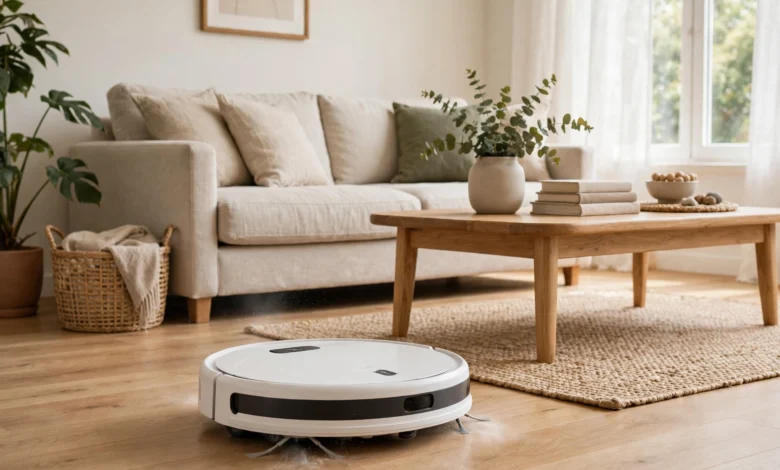
A robot cleaner is one of those gadgets that either quietly transforms your weekly routine or ends up as an expensive ornament bumping into furniture, and the difference almost always comes down to whether you bought the right machine for your home rather than the most advertised one. The direct answer to the question most buyers actually have is this: a robot cleaner is worth buying if you have mostly hard floors or low-pile carpets, a reasonably uncluttered layout, and realistic expectations about what it can do, because it is superb at keeping floors ticking over day to day, but it is not a replacement for a proper deep clean. If your home is full of thick carpets, cables, and clutter, or if you expect it to do stairs, corners, and upholstery, then even the best model will disappoint you, and that mismatch of expectations is where most bad reviews come from.

This guide is written as an explainer rather than a ranked shortlist, because the features that matter most depend on your floors, your pets, your tolerance for maintenance, and whether you want a simple cleaner or a machine that also mops, empties itself, and maps your home in detail. It is a maintenance tool, not a magic solution, and understanding navigation, suction, docks, and running costs before you buy will save you from the two most common regrets: paying for features you never use, or buying a cheap machine that spends more time stuck under the sofa than actually cleaning.
Navigation: Why Some Robots Clean Properly and Others Wander
Navigation is the single most important feature in a robot cleaner, because it determines whether the machine cleans your home methodically or simply bounces around at random hoping to cover everything by luck. The cheapest machines use basic bump navigation, which means they drive in a straight line until they hit something, then turn and try again, and while this approach will eventually cover an open room, it is slow, it misses spots, it struggles with complex layouts, and it cannot be told to clean one room and not another. It is adequate for a single uncluttered room, but in a real family home with several rooms, furniture, and doorways, it quickly shows its limits, and many owners find themselves rescuing it from under furniture or wondering why one corner never seems to get cleaned.
The step up is proper mapping, which comes in two main forms, and understanding the difference helps you spend wisely rather than simply buying the most expensive option. LiDAR navigation uses a spinning laser to build an accurate map of your home, and it works just as well in the dark as in daylight, which means it can clean methodically in straight lines, remember where it has been, avoid rooms you exclude, and return to its dock without wandering. Camera-based navigation, by contrast, uses a camera to see its surroundings, which can be very accurate and can add features like recognising objects and avoiding pet messes, but it generally needs some light to work well and it raises privacy questions for some buyers, since a camera is moving around their home. The robotic vacuum cleaner overview gives a useful background on how these systems developed, and it is worth a read if you want to understand why mapping machines cost more than bump-and-go models.
Suction: How Much Power Do You Actually Need
Suction power is usually quoted in pascals, abbreviated as Pa, and the numbers have inflated dramatically in recent years, which makes them a confusing guide unless you know what your floors actually require. As a practical guide, a suction level of around 5,000 Pa or below is generally sufficient for hard floors and light dust, because hard floors do not trap dirt the way carpet does, and the brush and airflow matter at least as much as the raw suction figure. For mixed flooring, where the machine must move from hard floors onto rugs and low-pile carpets, a range of roughly 8,000 to 15,000 Pa gives the extra lift needed to pull dust and pet hair out of fibres, and this is where most mid-range and premium machines now sit. Beyond that, ever-higher numbers deliver diminishing returns in a normal home, and they usually come with more noise and shorter battery life, which are real everyday costs.
It is also worth remembering that suction is only one part of cleaning performance, because the brush design, the airflow path, and the ability to keep the brush clear of tangled hair matter just as much in practice. A machine with a single rubber brush may handle pet hair far better than a more powerful machine with a bristle brush that wraps itself in hair within a week, and a machine that lifts its mop pad when it detects carpet will save you from soggy rugs in a way that raw suction never will. The sensible way to read suction figures, therefore, is as a rough band rather than a league table: match the band to your floors, pay attention to brush design and hair handling if you have pets or long hair in the household, and do not pay a large premium simply because one model quotes a bigger number than another.
Docks: Self-Empty Stations, Mop Washing, and the Real Cost of Convenience
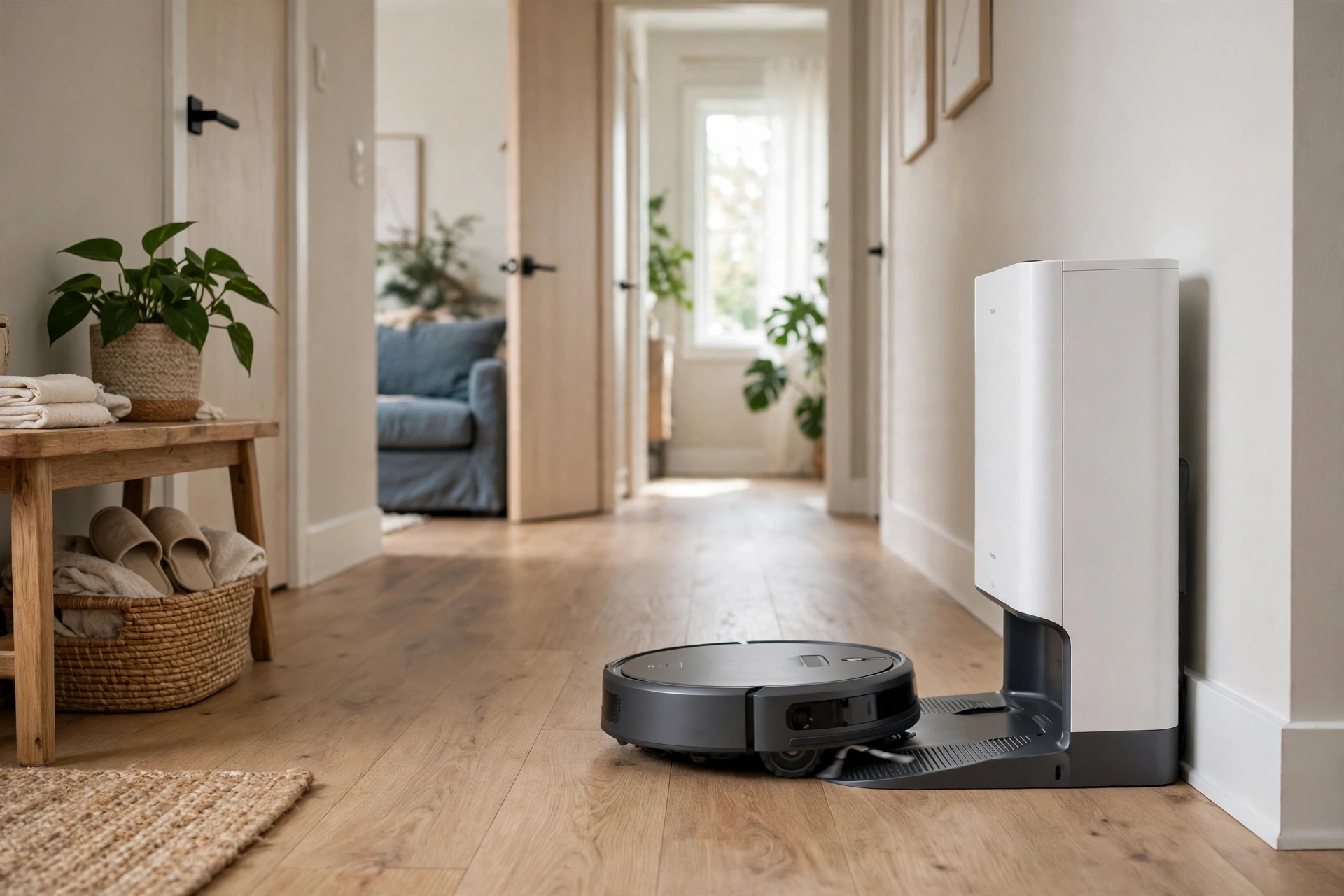
The dock is where the price of a robot vacuum can double, and it is also where the ownership experience changes most, so it deserves careful thought rather than an impulse decision at checkout. A basic charging dock simply recharges the machine, which means you will be emptying a small onboard dustbin yourself every few runs, and for a small home without pets that is perfectly manageable and keeps the purchase price down. A self-empty dock, by contrast, sucks the dust out of the robot into a much larger bag or bin in the dock itself, which means you may only need to deal with dust every month or two, and for allergy sufferers and pet owners that reduction in dust handling is genuinely valuable, not merely a luxury.
The most advanced docks go further still, washing mop pads, refilling water tanks, and even drying the pads to prevent smells, which turns a robot vacuum-mop combination from a gadget that needs constant attention into something that genuinely looks after itself for weeks at a time. That convenience comes with real costs, however, because the dock itself is large, often the size of a small kitchen bin, and it needs a permanent spot with space around it, plus ongoing spending on bags, filters, and mop pads that can add up over a year. Before paying for a premium dock, it is worth asking honestly whether you will use the mopping feature regularly, whether you have a suitable space for a large dock, and whether emptying a small bin every few days is really the burden the marketing suggests, because for many households the answer is no, and the money is better spent on better navigation.
Running Costs and Maintenance: The Bill After the Box
Running costs are the part of robot ownership that rarely appears in a review, but they are real, and they are the reason a cheap machine can become expensive over time. Consumables are the main item: brushes, filters, mop pads, and dock bags all wear out and need replacing, and a realistic annual budget for a mid-range machine is somewhere around £40 to £80 a year, depending on how often it runs and whether you buy branded or third-party parts. Battery life is the other long-term cost, because a battery that is charged daily will degrade over a few years, and while many are replaceable, the replacement is an additional expense that buyers rarely factor into the purchase price, so it is worth checking whether the battery is user-replaceable before you buy.
Maintenance is also a weekly habit rather than an occasional chore, and it is the part of ownership that separates happy owners from frustrated ones. Brushes need to be checked and cleared of tangled hair regularly, sensors and cameras need a wipe to keep navigation accurate, wheels and cliff sensors need to be kept free of dust, and the dustbin and filters need attention even on self-empty models, because no dock eliminates maintenance entirely. None of this is difficult, and most of it takes only a few minutes, but it does need to happen, and a household that will not do it will find that even the best robot vacuum gradually cleans worse and gets stuck more often. A robot vacuum rewards a little routine care in a way that a traditional vacuum cleaner, which is used intensively and then put away, simply does not require.
What It Cannot Do, Honestly
Honesty about limits is essential, because a robot cleaner is a brilliant maintenance cleaner and a poor deep cleaner, and confusing those two jobs is the fastest route to disappointment. No robot cleaner can do stairs, which means a multi-storey home needs either a machine per floor or a willingness to carry it, and no robot can clean upholstery, curtains, car interiors, or the tops of cupboards, so a traditional vacuum or a handheld will still be needed for those jobs. Corners and edges are another weak spot, because a round machine cannot reach into a square corner, and while side brushes and square-fronted designs help, they do not eliminate the need for an occasional manual clean along skirting boards and in tight corners.
Thick, deep-pile carpets are also a challenge, because even a powerful robot struggles to lift dirt from deep fibres the way an upright vacuum with a rotating brush bar can, and homes with wall-to-wall thick carpet will always get a better deep clean from a traditional machine. Cables, socks, children’s toys, and pet messes are the other classic hazards, because a robot will cheerfully eat a phone charger, drag a sock around the house, or, in the worst case, spread a pet accident across a room, which is why tidying before a run is not optional but part of the routine. None of this makes a robot vacuum a bad purchase, but it does mean the honest pitch is this: it keeps clean floors clean between proper cleans, it saves hours of routine work, and it does not replace the deep clean entirely.
Conclusion
A robot cleaner earns its money when it is bought for the home it will actually clean, with navigation that suits the layout, suction matched to the floors, a dock that fits both the space and the owner’s willingness to maintain it, and expectations set at maintenance cleaning rather than magic. LiDAR mapping is worth paying for in a larger or more complex home, a mid-range suction band covers most mixed flooring, and a self-empty dock is a genuine quality-of-life upgrade for pet owners and allergy sufferers but an unnecessary expense for a small, tidy flat. The running costs, the weekly maintenance, and the honest limits around stairs, corners, and deep carpets are all part of the purchase, not footnotes to it.
If you buy with those realities in mind, a robot cleaner is one of the most satisfying household purchases available, because it quietly does a job that otherwise eats into every weekend, and it does it while you are doing something better. Measure the home honestly, count the pets and the cables, check the space for a dock, and choose the machine that fits that picture rather than the one with the biggest numbers on the box. Done that way, you will end up with a cleaner home, more free time, and a gadget that earns its keep every single day rather than gathering dust under the sofa.
FAQs
Is a robot cleaner worth it for a home with pets? Yes, for most pet-owning households a robot cleaner is one of the most worthwhile purchases available, because it deals with the daily reality of pet hair on hard floors and low-pile carpets far more consistently than a weekly manual clean ever will, and scheduling it to run daily keeps hair under control rather than letting it accumulate. The features that matter most for pets are a brush design that resists hair tangling, a self-empty dock that reduces how often you handle dusty bins, and good object avoidance, because a machine that spreads a pet accident across a room is a nightmare no owner wants, so these features are worth paying for if you share your home with animals.
What is the difference between LiDAR and camera navigation? LiDAR navigation uses a spinning laser to build an accurate map of your home, and it works equally well in darkness and daylight, which means it cleans in methodical straight lines, remembers where it has been, and can be told to clean specific rooms or avoid others. Camera-based navigation uses a camera to see its surroundings, which can be very accurate and can add object recognition, such as avoiding pet messes, but it generally needs some light to work well and it raises privacy considerations for some buyers, since a camera is moving around their home while it cleans.
How much suction do I need in a robot cleaner? For homes with mostly hard floors and light dust, a suction level of around 5,000 Pa or below is generally sufficient, because hard floors do not trap dirt the way carpet does, and brush design and airflow matter at least as much as the raw suction figure. For mixed flooring with rugs and low-pile carpets, a range of roughly 8,000 to 15,000 Pa gives the extra lift needed to pull dust and pet hair out of fibres, while ever-higher numbers beyond that deliver diminishing returns in a normal home and usually bring more noise and shorter battery life.
Can a robot cleaner replace my normal vacuum cleaner? Not entirely, and it is important to be honest about this, because a robot cleaner is superb at maintenance cleaning but cannot do stairs, upholstery, curtains, car interiors, or the tops of cupboards, and it struggles with corners, edges, and deep-pile carpets in a way that a traditional upright or cylinder vacuum does not. The realistic arrangement for most homes is to let the robot handle daily floor maintenance, which saves hours every week, and to keep a traditional vacuum for the weekly deep clean, the stairs, and everything above floor level.
How much does a robot cleaner cost to run each year? A realistic annual budget for consumables such as brushes, filters, mop pads, and dock bags is somewhere around £40 to £80 a year for a mid-range machine, depending on how often it runs and whether you buy branded or third-party parts, with battery replacement as an additional longer-term cost after a few years of daily charging. Maintenance also takes a few minutes each week, including clearing tangled hair from brushes, wiping sensors, and checking wheels and dustbins, but that small routine is what keeps the machine cleaning well rather than gradually getting stuck more often and cleaning worse.
If you found this guide helpful, you may also enjoy our other home and appliance explainers on this site.